

What is Make.com?
Make.com is a platform for automating workflows that lets users connect different apps and do the same tasks over and over again without having to write a lot of code. It used to be called Integromat, and many businesses, startups, and agencies use it. Users of Make.com can create workflows that automatically move data between apps. Users can set up automated scenarios that run in the background instead of doing the same things by hand every day. People like the platform because it is flexible, has a visual interface, and can handle complicated logic. Make.com is great for teams that use a lot of different tools and want them to all work together without any problems.
how Make.com helps us?
Make.com helps automate tasks by linking apps, services, and systems into one workflow. It can move information between email programs, spreadsheets, databases, marketing platforms, and internal systems. For instance, when a lead fills out a form, it can automatically add the information to a CRM, send an email to confirm it, and let the sales team know. It cuts down on manual work and mistakes. Make.com has conditional logic, filters, and workflows that can have more than one step. This lets companies automate both simple and complex tasks. Teams save time and make their work more efficient by using workflow automation.
How Make.com Works?
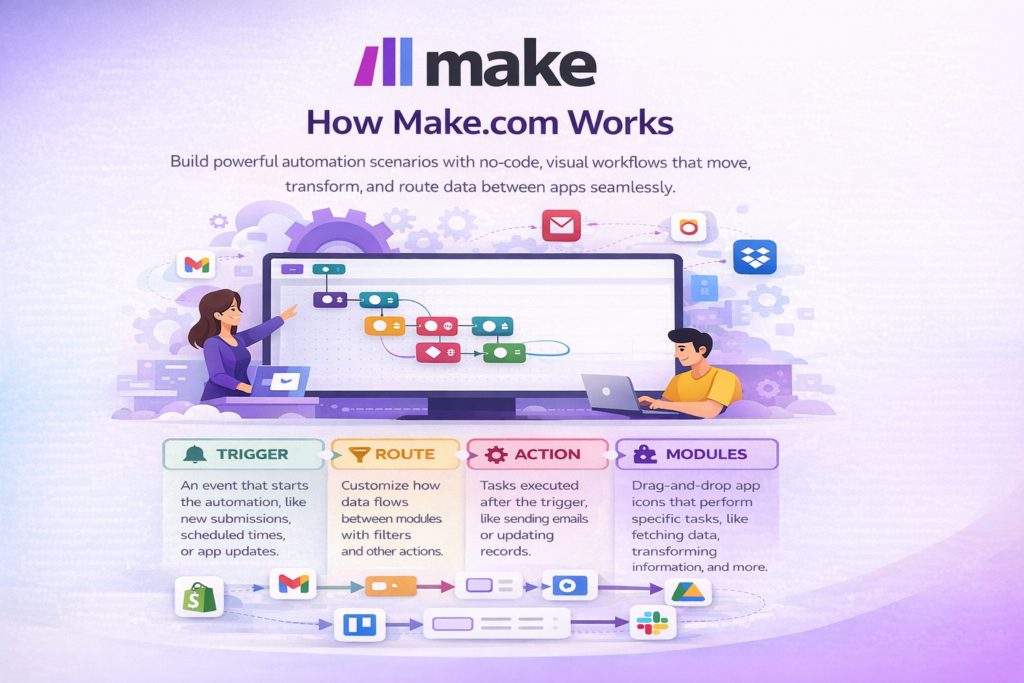
Make.com uses scenarios, which are visual workflows. A trigger is an event that starts the automation in each scenario. This could be a new form submission, a time that was set, or an app update. After the trigger, users add actions that tell the system what to do next. There is a clear path for data to move from one module to another. Make.com lets users change, filter, and send data while it’s being processed. The platform runs these scenarios automatically according to rules that have been set. Users can easily check execution logs and fix mistakes. This makes workflows for automation clear and dependable.
How to Use Make.com?
To use Make.com, you first need to sign up for an account and pick the apps you want to connect. Then, users use the visual editor to make a new scenario. They choose a trigger module and set it up with the information it needs. Then, they add action modules one at a time. Before activation, Make.com lets you test each scenario. When the workflow is turned on, it runs on its own. Users can change scenarios at any time to change the logic or add new steps. Even people who are new to automation can start with simple tasks and work their way up to more complicated ones. Make.com is a great tool for no-code automation once you get the hang of it.
How AI Power Solutions Can Help You Use Make.com?
We help businesses use Make.com in a way that works for them at aipowersolutions.in. It Just don’t talk about features; we focus on how to use them. We help figure out which tasks should be done automatically. We make workflows that are easy to manage and can grow as needed. it also help connect Make.com to internal systems, CRMs, marketing tools, and databases. Teams get training and help so they can confidently handle automations. We want to help businesses cut down on manual work and boost productivity by using automation tools that really work.

Why You Should Get Make.com from AI Power Solutions?
When you buy Make.com from aipowersolutions.in, you get more than just the tool. We help you set things up, give you advice, and guide you based on how you plan to use your business. Our prices are fair and meant to give you value. We make sure you have real access with all the features. Our platform also has special deals for people who are buying for the first time. AI Power Solutions gives you both the tool and the knowledge to use it correctly. This mix helps you avoid making mistakes and get things done more quickly. By choosing us, you’re investing in smart automation that will pay off in the long run.