Introduction
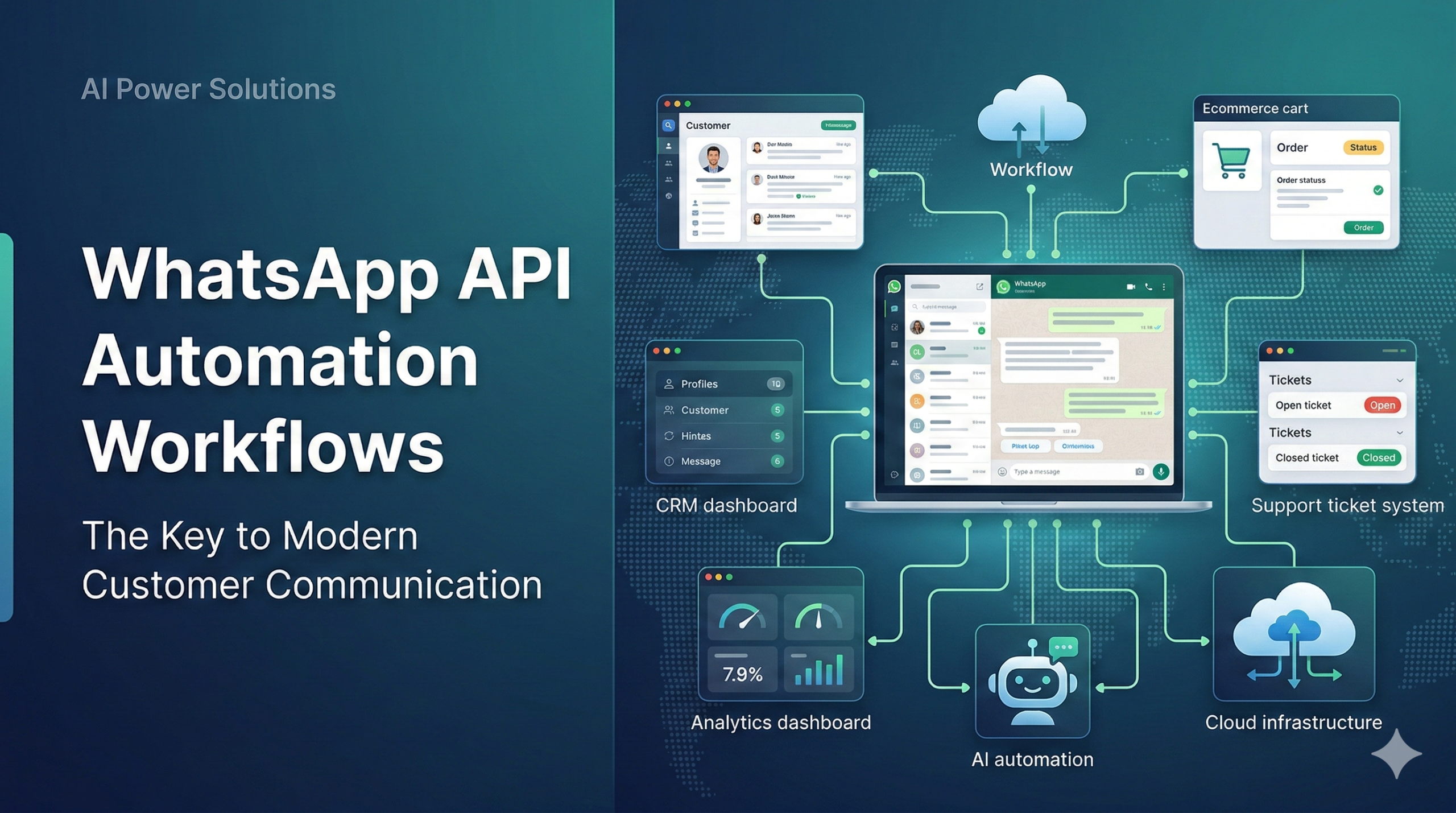
WhatsApp API Automation is changing how modern businesses communicate, convert, and retain customers. Instead of relying on scattered, manual chats, companies are building structured workflows that run on the WhatsApp Business Platform and connect deeply with their existing systems.
When designed as a system—not a one-off bot—WhatsApp API Automation becomes a reliable layer in your customer infrastructure, just like your CRM, helpdesk, or email platform.
Why Businesses Need WhatsApp API Automation Now
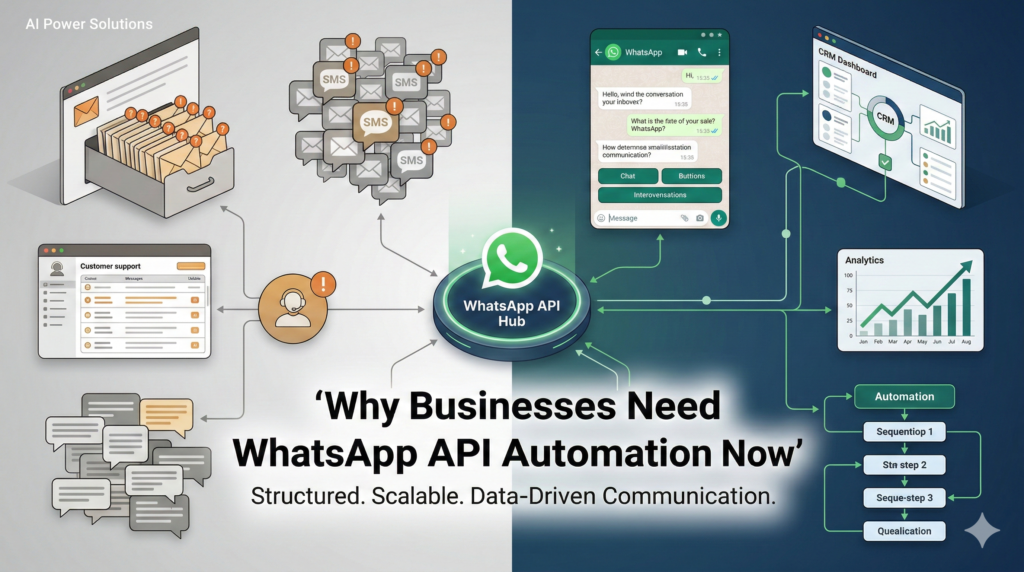
Customer expectations have shifted. People want fast, clear answers on the same channels they already use every day. In many markets, WhatsApp sits at the top of that list.
At the same time, businesses face increasing pressure:
- Email engagement is inconsistent, especially for time-sensitive messages.
- SMS can feel intrusive and lacks interactivity.
- Sales and support teams repeat the same answers daily.
Powered by the Official API, WhatsApp enables:
- Two-way conversational engagement
- Rich media (images, PDFs, buttons, lists, links)
- Automated workflows that still feel personal
The result is a structured, responsive system rather than fragmented, manual conversations.
WhatsApp Official API as Infrastructure
It is useful to think of the Official API as infrastructure rather than an app.
The consumer WhatsApp Messenger and the WhatsApp Business app are user-facing clients. The Official API is the backend layer that systems connect to.
That infrastructure allows you to:
- Manage high message volumes in a controlled way
- Connect CRM, ticketing, marketing automation, and data systems
- Enforce compliance and workflow rules centrally
Instead of one person managing chats on a phone, entire teams and systems collaborate within structured conversations.
What Is WhatsApp API Automation?
WhatsApp API Automation is the use of the official platform to send, receive, and manage messages based on rules, triggers, and data events rather than manual replies.
In practice, it involves:
- Connecting the API to your CRM or backend
- Defining triggers (new lead, abandoned cart, renewal date, ticket created)
- Defining response sequences
- Escalating to human agents when needed
Automation is:
- Centralized – logic lives in your backend
- Repeatable – consistent experience per scenario
- Measurable – performance can be tracked and optimized
How WhatsApp API Automation Works (Technical Overview)
1. WhatsApp Business Account (WABA)
Your brand is registered and verified within Meta’s business ecosystem. Numbers are attached to this account.
2. Official API Access
You use Meta’s cloud API or connect through an approved Business Solution Provider (BSP).
3. Inbound and Outbound Flows
Customer messages arrive via webhooks. Your automation layer interprets them and triggers the next action.
4. Automation Logic
Rules may include:
- Time-based triggers
- Lifecycle stage
- Customer segment
- Intent classification
5. Responses and Actions
The system can:
- Send a template message
- Send a service reply within 24 hours
- Assign to an agent
- Update CRM fields
- Log events in backend systems
This creates a closed-loop communication cycle.
WhatsApp Business App vs Official API
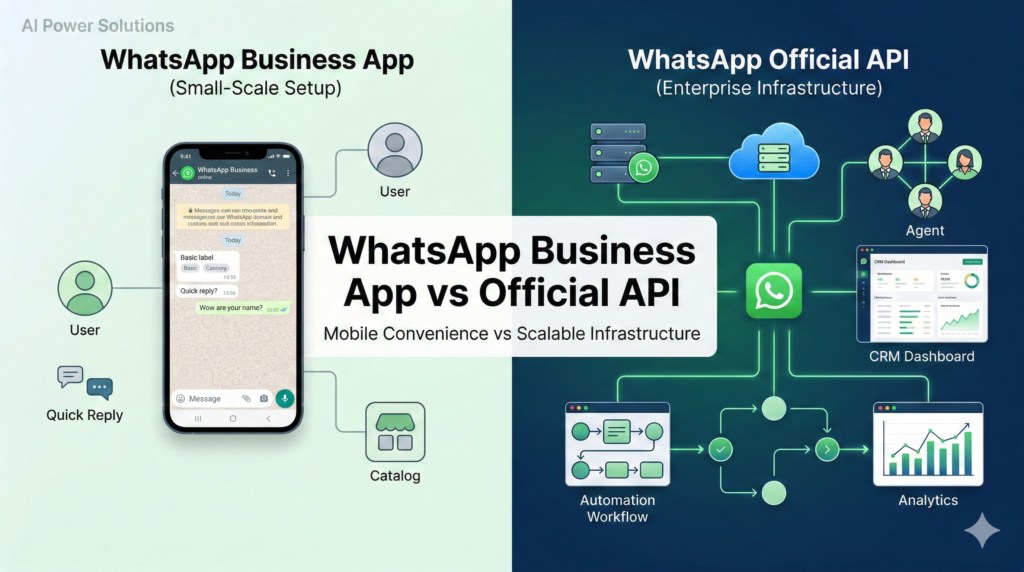
The WhatsApp Business App
- Runs on a mobile device
- Suitable for very small teams
- Basic features (labels, quick replies, catalog)
- No robust backend automation
WhatsApp Official API
- Server-side with webhooks and REST endpoints
- Multi-agent and multi-tool environment
- CRM and system integration
- Scalable across thousands or millions of conversations
- Eligible for green tick verification (subject to criteria)
For long-term, scalable automation, the Official API is essential.
WhatsApp vs Email vs SMS
A mature communication strategy uses each channel where it performs best:
- Email – Detailed content, documentation, compliance communication
- SMS – High-urgency alerts in specific markets
- WhatsApp – Conversational engagement with rich interactivity
WhatsApp API Automation complements, rather than replaces, these channels.
Core WhatsApp API Automation Workflows
1. Lead Capture and Qualification
- Click-to-WhatsApp entry point
- Automated data capture
- CRM sync
- Real-time sales routing
2. Abandoned Cart Recovery
- Triggered reminder templates
- Cart summary and checkout link
- FAQ handling via automation
3. Onboarding and Activation
- Guided setup messages
- Activity-based nudges
- Plan-specific flows
4. Support and Triage
- Keyword or AI-based categorization
- Automated resolution of common issues
- Smart routing to human agents
5. Retention and Renewals
- Scheduled renewal reminders
- Branching logic based on responses
- Post-renewal confirmation and updates
CRM Integration: The Central Layer
WhatsApp API Automation becomes significantly more powerful when integrated with a CRM or customer data platform.
Benefits include:
- Unified customer history
- Segmented automation
- Event-based triggers
- Better reporting and attribution
WhatsApp then becomes part of a broader lifecycle system rather than a standalone channel.
Chatbots on WhatsApp API: Role and Limits
Chatbots are one component of WhatsApp API Automation. Effective bots:
- Focus on clear outcomes
- Keep interactions concise
- Provide easy human escalation
- Track drop-off and intent data
They handle routine queries and triage. Complex cases should move to human agents.
Official vs Unofficial WhatsApp APIs
Official API
- Provided by Meta or approved partners
- Policy-compliant
- Scalable and secure
- Eligible for business verification features
Unofficial Methods
- Based on reverse engineering or automation hacks
- Risk account bans
- Unstable and unsupported
- Potential security concerns
For sustainable operations, only the Official API is viable.
Templates and the 24-Hour Rule
24-Hour Window
After a user message, businesses can reply freely within 24 hours. Beyond that, approved templates are required.
Message Templates
Used for:
- Notifications
- Authentication
- Marketing engagement
Templates can include variables, buttons, and lists. Proper design ensures compliance and clarity.
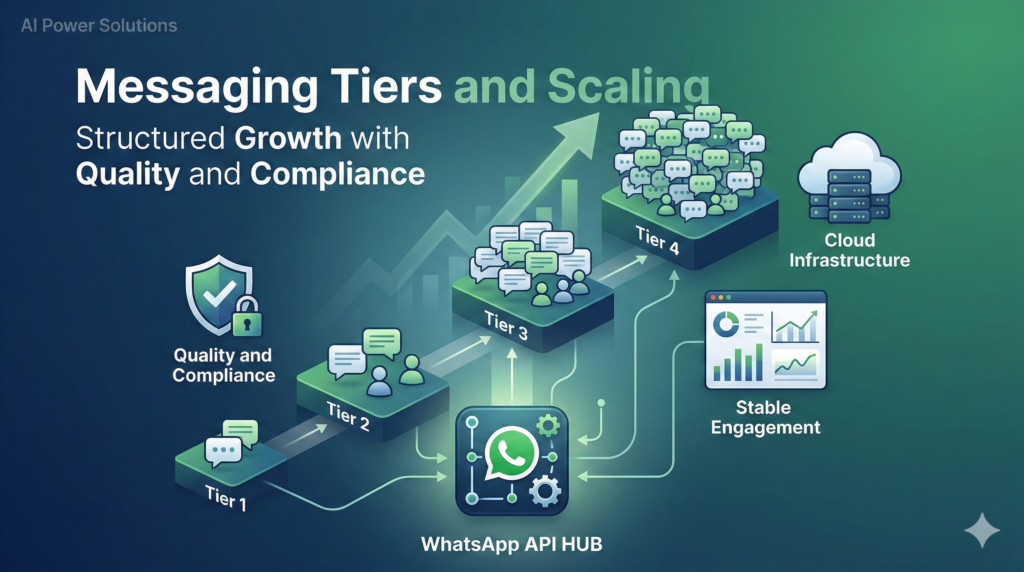
Messaging Tiers and Scaling
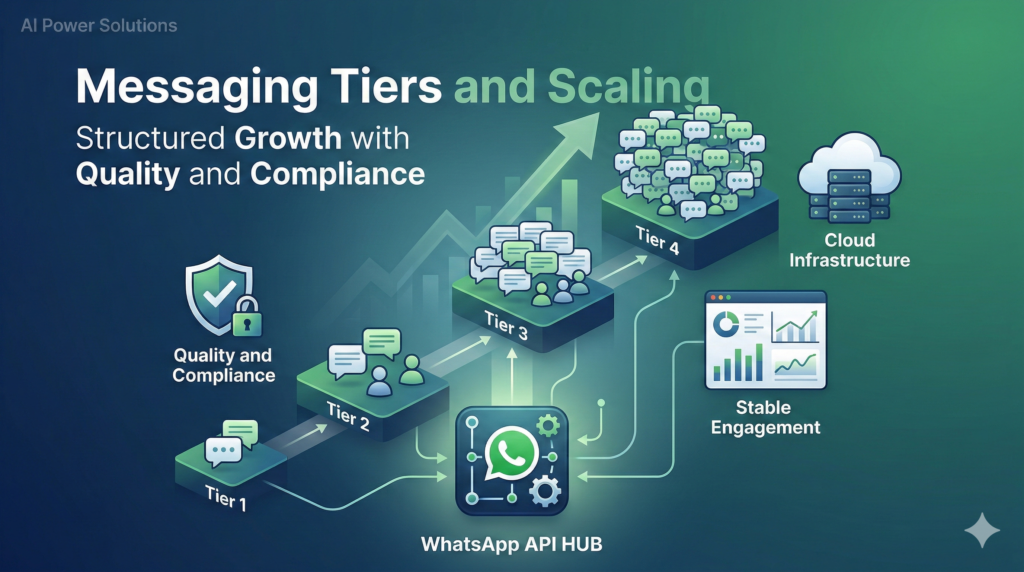
WhatsApp uses messaging tiers to regulate proactive template messaging volume.
- New accounts start lower
- Higher quality and engagement unlock higher tiers
- Gradual ramp-up is recommended
Automation must align with tier capacity and account health metrics.
Responsible Bulk Messaging
WhatsApp is a conversational channel, not a mass-blast tool. Responsible automation includes:
- Explicit opt-in
- Clear value in each message
- Easy opt-out
- Proper segmentation
Structured targeting protects both brand reputation and platform standing.
Business Impact of WhatsApp API Automation
Well-designed systems typically improve:
- Speed to first response
- Lead conversion
- Revenue recovery
- Support efficiency
- Customer retention
Structured journeys consistently outperform ad hoc manual messaging.
Example: Global SaaS Lifecycle System
- Prospect clicks WhatsApp from pricing page
- Automated qualification flow
- Region-based sales routing
- Trial onboarding guidance
- Usage-based nudges
- Renewal reminders
- Post-conversion value check-ins
WhatsApp becomes part of a defined lifecycle architecture rather than a standalone tool.
Common Implementation Mistakes
- Treating WhatsApp as a broadcast channel
- Overbuilding chatbots before defining workflows
- Skipping CRM integration
- Misunderstanding template rules
- Using unofficial APIs
Starting small with high-impact workflows reduces risk and complexity.
Why Work with a Specialist Partner
Implementing WhatsApp API Automation affects marketing, sales, support, compliance, and data systems.
A structured partner approach—such as working with AIPowerSolutions.in—focuses on:
- Workflow architecture
- Official API setup
- CRM and backend integration
- Template governance
- Balanced automation and human support
This shifts WhatsApp from an experiment to a long-term system.
Future Direction of WhatsApp API Automation
Emerging trends include:
- AI-assisted intent detection and summarization
- More commerce-native features
- Stronger governance standards
- Unified omnichannel automation logic
Businesses that build proper infrastructure today will adapt faster tomorrow.
Conclusion
WhatsApp API Automation is no longer optional for modern businesses. It is a strategic communication layer.
By using the Official WhatsApp Business API, integrating it with core systems, designing clear workflows, and respecting compliance rules, organizations can build scalable and customer-friendly messaging systems.
Moving from improvised chats to structured automation requires planning, integration, and discipline—but the long-term operational benefits are substantial.