Introduction: Scheduling Challenges in Modern Businesses
Scheduling is one of the most common operational pain points for service businesses. Clinics, salons, consulting firms, real estate agencies, training providers, and SaaS companies all depend on booked time slots to generate revenue. Yet in many organizations, appointment booking still happens through phone calls, email threads, or basic web forms.
These traditional methods are slow and error-prone. Phone calls require both sides to be available at the same time. Email exchanges often stretch over days. Web forms collect data but offer no real-time interaction and often see high abandonment rates, especially on mobile. As businesses grow, the volume of scheduling requests increases, leading to missed calls, double bookings, and frustrated customers who either give up or move to competitors.
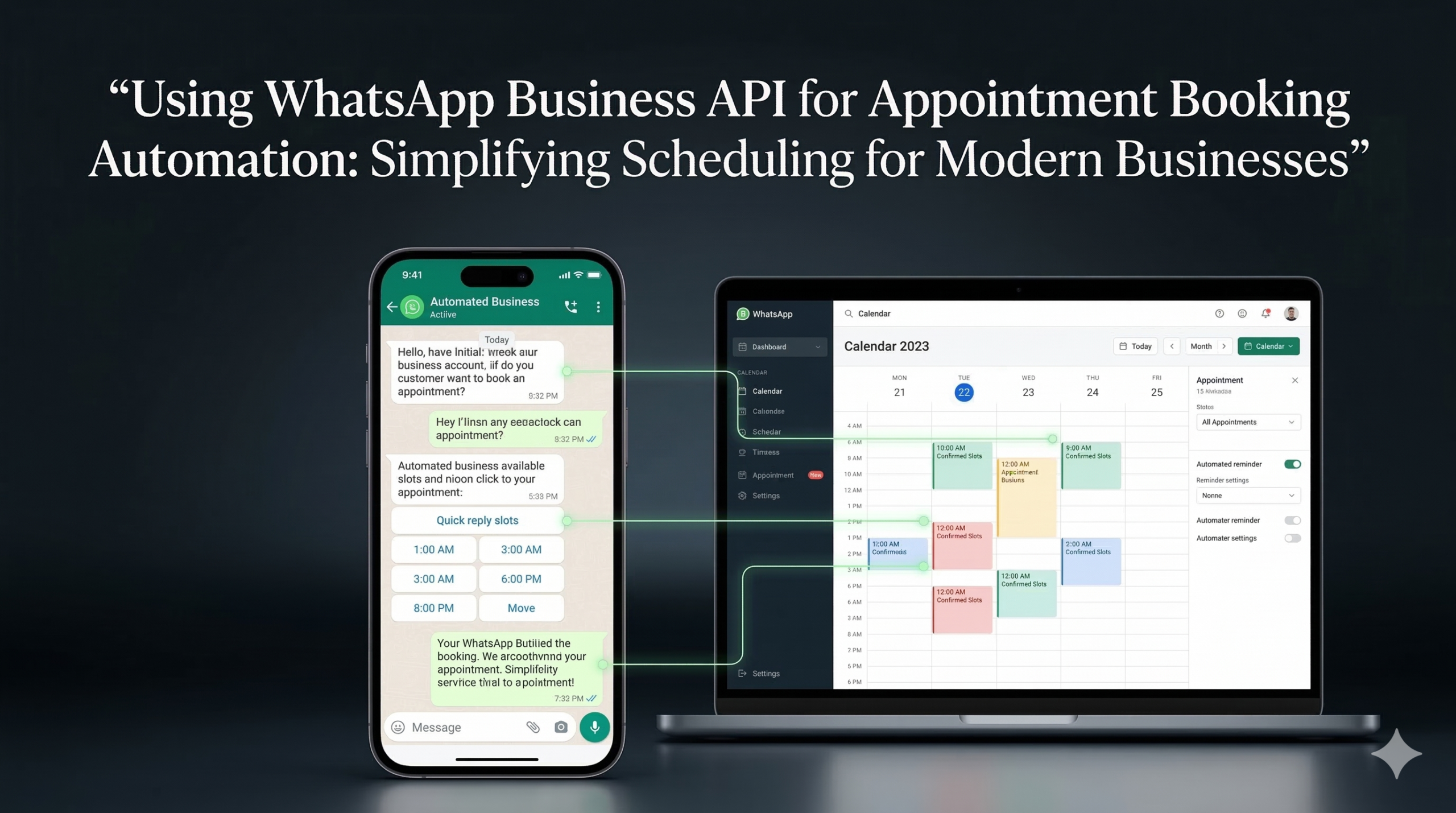
WhatsApp Business API provides a way to turn scheduling into a conversational, automated, and integrated process. By using WhatsApp as the front-end for appointment booking automation, businesses can simplify scheduling for customers while keeping calendars and CRM systems up to date in the background.
Why Messaging Platforms Like WhatsApp Improve Booking Experiences
Messaging platforms have become the default mode of communication for many people. Customers are more likely to respond to a quick chat message than to an email or a phone call. This makes messaging an ideal interface for booking appointments.
WhatsApp, in particular, improves booking experiences in several ways:
- It is already installed and actively used on most smartphones, reducing friction.
- Conversations are asynchronous, so customers can reply when convenient, without waiting on hold.
- The interface supports rich messages, buttons, and lists, which can make selecting dates and times easy.
- The conversation history is persistent, so customers can always refer back to their confirmation message.
Instead of filling out static forms, users can answer simple questions in a chat. They can ask clarifying questions, modify their preferences, or request more information before committing to a time. From a user’s perspective, the process feels like messaging a person, even if much of it is automated.
For businesses, this shift to conversational booking reduces friction, increases completion rates, and opens up more options for follow-up and reminder messaging.
How WhatsApp Business API Enables Automated Appointment Booking
The WhatsApp Business App is useful for small operations, but it is tied to a single device and does not support robust automation or integrations. The WhatsApp Business API is different. It is designed for server-side integration and automation, allowing businesses to connect WhatsApp to their existing scheduling, CRM, and workflow systems.
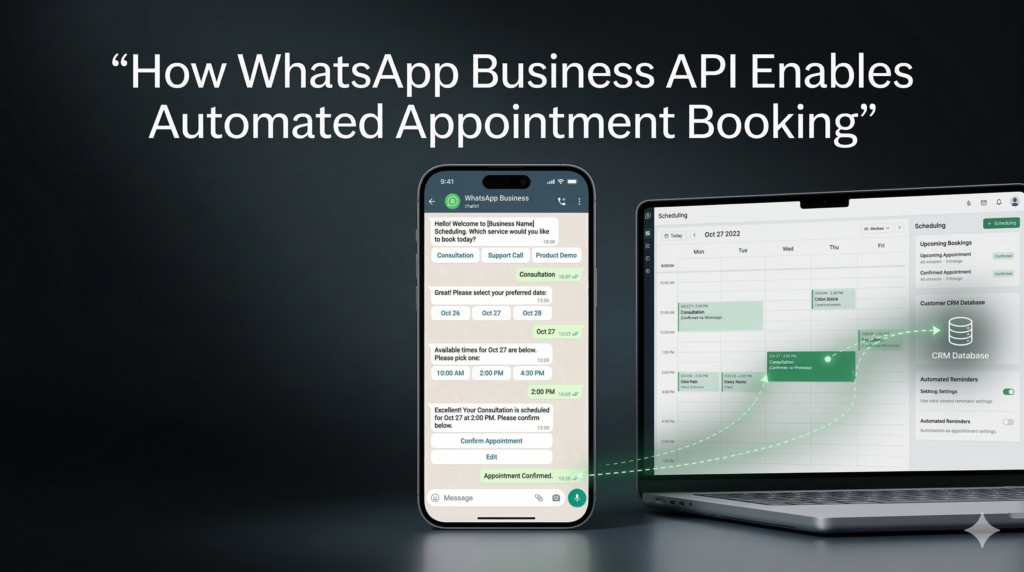
With the WhatsApp Business API, appointment booking can work like this:
- A customer starts a WhatsApp conversation from a website, ad, or QR code.
- The incoming message is received by your backend via a webhook.
- An automation system (or chatbot) initiates a structured booking flow.
- The system checks availability via integrated calendars or booking platforms.
- Available slots are presented to the customer within the chat.
- When the customer selects a slot, the system confirms the booking and updates the calendar.
- Automated reminders and updates are scheduled as future WhatsApp messages.
Because everything flows through the API, each step can be connected to other systems: CRM platforms, Google Calendar, industry-specific booking tools, and analytics systems. A provider like AIPowerSolutions.in helps design this architecture so that WhatsApp sits at the front of a robust appointment booking infrastructure.
Click-to-WhatsApp Booking Entry Points
A key advantage of WhatsApp-based appointment booking is that it can be triggered from multiple entry points in your customer journey:
Website Buttons and Widgets
On service pages, pricing pages, or contact pages, businesses can add “Book on WhatsApp” or “Schedule via WhatsApp” buttons. When clicked on a mobile device, these open a WhatsApp chat with a pre-filled message such as “Hi, I’d like to book an appointment.”
Click-to-WhatsApp Ads
On platforms like Facebook and Instagram, businesses can run Click-to-WhatsApp ads that send users directly into a WhatsApp conversation instead of a landing page. This is especially effective for campaigns promoting consultations, demos, or free trials.
QR Codes
Offline channels such as brochures, clinic waiting rooms, shop counters, event booths, or outdoor ads can use QR codes that open WhatsApp chat when scanned. This bridges the offline-to-online gap and makes booking accessible in physical environments.
Each of these entry points can carry context—campaign ID, source, service type—that the backend uses to select the right booking flow and track performance.
Chatbot-Based Scheduling Flows for Collecting Appointment Details
Once a user enters WhatsApp, a chatbot or automation flow can guide them through the scheduling process in a natural, step-by-step dialogue. A typical conversation might look like this:
- Greeting and context
“Hi! You can book an appointment here. Are you looking for a consultation, follow-up, or another service?” - Service selection
List or buttons allow users to choose from available services (e.g., general consultation, dental check-up, home visit, discovery call). - Date and time preferences
The bot asks for preferred dates or shows a selection of upcoming slots. - Details collection
The system collects necessary information such as name, phone number (if not already from WhatsApp), email, location, or additional notes. - Confirmation
The user confirms a specific time slot, and the system acknowledges with a clear summary.
These scheduling flows can include validation (for example, checking if the user’s requested time is still available), branching logic (different flows for new vs existing customers), and fallbacks (handing off to a human agent when the conversation becomes complex). The key is to keep each step simple while maintaining enough structure to ensure bookings are accurate and complete.
Calendar Integration with Google Calendar and CRM Platforms
To be truly useful, WhatsApp-based appointment booking must stay in sync with actual calendars and scheduling systems. This is where integration with Google Calendar, Outlook, CRM-based scheduling tools, or industry-specific platforms comes in.
For example:
- When a user selects a slot in WhatsApp, the system checks Google Calendar for that staff member or room. If the slot is free, it creates an event with all relevant details.
- For a sales team, bookings in WhatsApp can create or update events and tasks in a CRM like HubSpot or Salesforce, linking appointments to deals and contacts.
- Clinics can connect WhatsApp booking flows to practice management systems so that appointments appear within the same interface staff already use.
AIPowerSolutions.in typically builds this connection using the business’s existing scheduling tools, mapping WhatsApp events to the right calendars and resources. Two-way syncing ensures that if staff manually change the calendar, the WhatsApp booking system reflects current availability and avoids double-booking.
Automated Confirmations, Reminders, and Rescheduling Options
Once an appointment is booked, automation can handle the entire lifecycle of communication around that booking.
Confirmations
Immediately after booking, the system sends a WhatsApp confirmation message that includes:
- Appointment date and time
- Service type or purpose
- Location or online meeting link
- Any preparation details or required documents
This message becomes the customer’s main reference point and often replaces traditional email confirmation.
Reminders
To reduce no-shows, businesses can schedule reminder messages, for example:
- 48 hours before the appointment
- 24 hours before the appointment
- 2 hours before the appointment
These can include interactive options like “Confirm,” “Reschedule,” or “Cancel,” which then trigger appropriate workflows.
Rescheduling and Cancellation
If a customer chooses to reschedule or cancel, automation can:
- Offer alternative time slots based on updated availability
- Update the calendar or booking system
- Free up the original slot and notify staff if needed
By handling these scenarios through WhatsApp, businesses make it easy for customers to manage their booking without phone calls or complex portals.
Using Templates for Appointment Notifications and Reminders
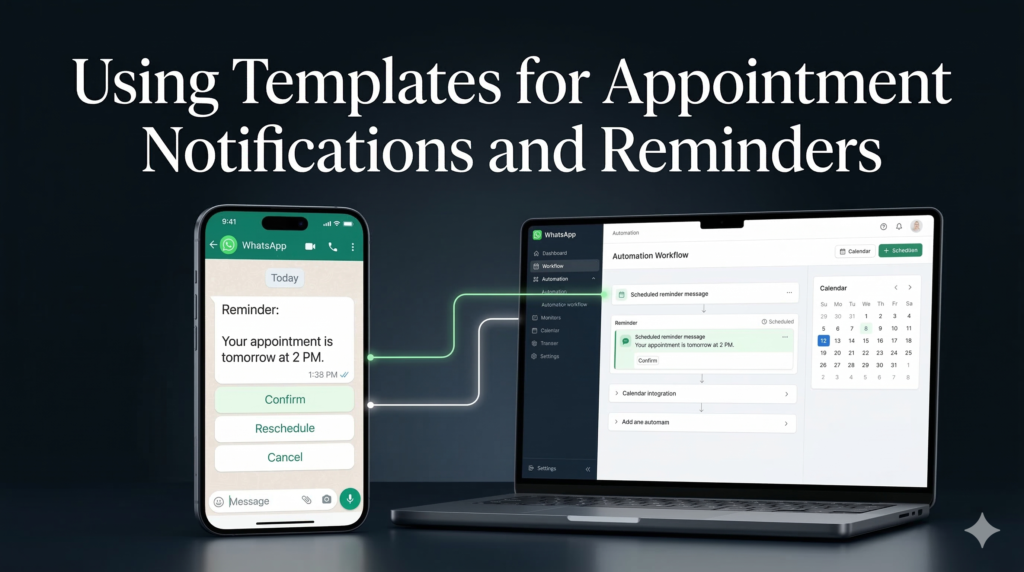
Under WhatsApp’s rules, messages sent after 24 hours of the last user-initiated message must use pre-approved templates. For appointment automation, templates are essential for:
- Booking confirmations
- Reminder notifications
- Rescheduling alerts
- Cancellation confirmations
- Follow-up messages after the appointment
Template examples include:
- “Your appointment with [Provider Name] is confirmed for [Date/Time] at [Location]. Reply RESCHEDULE if you need a different time.”
- “Reminder: You have a [Service] appointment tomorrow at [Time]. Reply YES to confirm or CHANGE to reschedule.”
AIPowerSolutions.in helps businesses define, submit, and manage these templates so they comply with WhatsApp’s guidelines while preserving brand tone. Once approved, templates can be triggered programmatically via the WhatsApp Business API as part of the broader automation flow.
Multi-Location and Multi-Staff Scheduling Workflows
Larger organizations often operate across multiple locations and have multiple staff members who can handle appointments. WhatsApp-driven scheduling needs to account for this complexity.
Some practical workflows include:
- Asking the user to select a location first, then showing availability for that branch.
- Assigning appointments to specific staff members based on specialty, language, or existing relationship.
- Load balancing between staff to avoid overbooking one person while others are underutilized.
- Handling different working hours, holidays, or blackout periods per location and staff member.
These rules are managed in the backend scheduling logic, which uses the WhatsApp conversation as the interface while applying business rules to ensure that bookings are realistic and manageable.
Integration with CRM and Booking Platforms
Beyond calendar tools, businesses often need appointment data to be visible in CRM systems and specialized booking platforms. With proper integration, an appointment scheduled via WhatsApp can:
- Create or update a contact record in the CRM.
- Attach the booking to a deal, opportunity, or account.
- Trigger a workflow, such as sending a preparation email or assigning a task to a team member.
- Log the WhatsApp conversation as part of the customer’s activity history.
For example, a consulting firm might want every booked discovery call through WhatsApp to appear as a deal in HubSpot, with the contact owner set to the assigned consultant. A clinic might need appointments scheduled via WhatsApp to be captured in their healthcare booking system and linked to patient IDs.
AIPowerSolutions.in typically coordinates these integrations, ensuring that data flows consistently and that WhatsApp bookings are first-class citizens in the customer data model.
Reducing No-Shows with Automated WhatsApp Reminders
No-shows and last-minute cancellations are costly. They waste staff time, reduce utilization, and cut into revenue. Automated WhatsApp reminders are one of the most effective tools for reducing no-shows.
Because WhatsApp messages are usually read quickly, reminder messages are far more effective than email alone. When reminders include simple interactive options, they also encourage customers to confirm their attendance or propose alternative times instead of silently not showing up.
Over time, businesses can measure how different reminder schedules (e.g., only 24-hour vs. 48 and 24-hour reminders) affect no-show rates. This data can be used to optimize reminder strategies per service type or customer segment.
Example: A Clinic Improving Bookings with WhatsApp Automation
Consider a multi-location dental clinic that previously relied on phone calls and web forms for appointment scheduling. They faced high call volumes, frequent missed calls during peak hours, and a no-show rate of around 20%.
After implementing a WhatsApp-based appointment booking system using the WhatsApp Business API:
- Website visitors could initiate booking directly on WhatsApp.
- A chatbot guided patients through selecting location, type of visit (check-up, cleaning, emergency), and preferred date/time.
- Integrations with Google Calendar and the clinic’s practice management system ensured that only valid time slots were shown.
- Confirmations and reminders were sent automatically, with options for patients to reschedule easily.
Within a few months, the clinic observed:
- A reduction in inbound phone calls and fewer missed calls.
- A higher completion rate for bookings compared to the old web form.
- A drop in no-show rates from 20% to around 8–10%, thanks to timely reminders and easy rescheduling.
Staff reported spending less time on manual scheduling and more time on in-person patient care.
Compliance Rules and Message Template Requirements
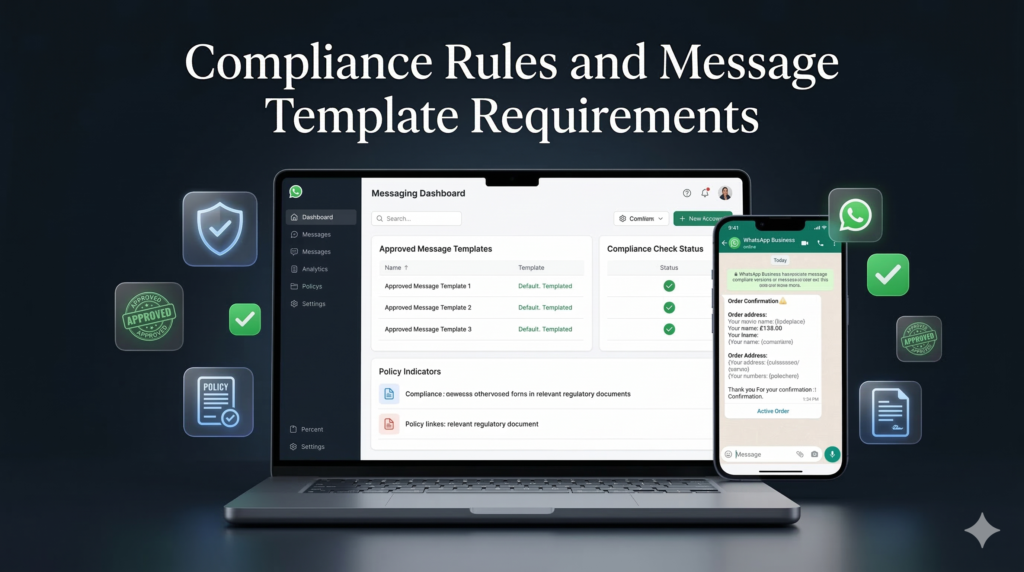
When using WhatsApp Business API for appointment booking automation, businesses must follow WhatsApp’s policy framework:
- The 24-hour customer service window allows free-form replies only within 24 hours of the last user message.
- Messages sent outside this window must use pre-approved template messages.
- Users must provide opt-in for receiving appointment-related notifications, especially if reminders or follow-ups might be considered promotional.
- Template content must be clear, useful, and non-spammy, with proper localization where needed.
Ignoring these rules can result in poor quality ratings and, in extreme cases, restrictions on sending messages. A structured approach to template design, opt-in flows, and messaging frequency is necessary to maintain compliance and high deliverability.
Analytics and Tracking Appointment Conversions from WhatsApp
To manage WhatsApp appointment systems as serious business assets, you need visibility into performance. Analytics can include:
- Number of booking conversations started via WhatsApp.
- Number of completed bookings versus abandoned flows.
- Conversion rates by entry source (website, ad, QR code).
- No-show rates before and after implementing WhatsApp reminders.
- Time saved by staff due to automation vs manual scheduling.
When WhatsApp is integrated with CRM and booking platforms, these metrics can be tied back to revenue, customer lifetime value, and campaign performance. Marketing teams can see which campaigns bring not just traffic, but actual scheduled appointments and closed deals.
How Businesses Can Scale Appointment Booking Using WhatsApp Automation Infrastructure
Once the basic appointment flows are working, businesses can scale their WhatsApp automation infrastructure by:
- Adding support for more services or appointment types.
- Extending to more locations and staff while maintaining centralized control.
- Introducing multi-language support for international audiences.
- Connecting WhatsApp booking with additional systems like billing or post-visit surveys.
- Using advanced routing logic to prioritize high-value clients or urgent requests.
AIPowerSolutions.in helps organizations move from pilot projects to robust, scalable deployments. This includes designing a sustainable architecture, selecting appropriate automation tools, implementing integrations, and continuously optimizing flows based on real data.
Conclusion
By using the WhatsApp Business API for appointment booking automation, modern businesses can turn a previously painful operational process into a smooth, conversational experience that customers actually prefer. At the same time, they can maintain accurate calendars, reduce no-shows, and free up staff time for higher-value work. With the right partner and infrastructure, WhatsApp can become a central component of a smarter, more efficient scheduling system.