Introduction
Modern businesses often struggle with fragmented communication. Sales teams work in one inbox, support teams use another, marketing runs campaigns through separate tools, and customer replies arrive across email, calls, chat widgets, and social media. This fragmentation creates delays, missed messages, duplicate effort, and a disjointed customer experience. A buyer may start a conversation on Instagram, follow up by email, and then call support, only to repeat the same information three times. Internally, teams lose context, managers lose visibility, and opportunities slip through the cracks.
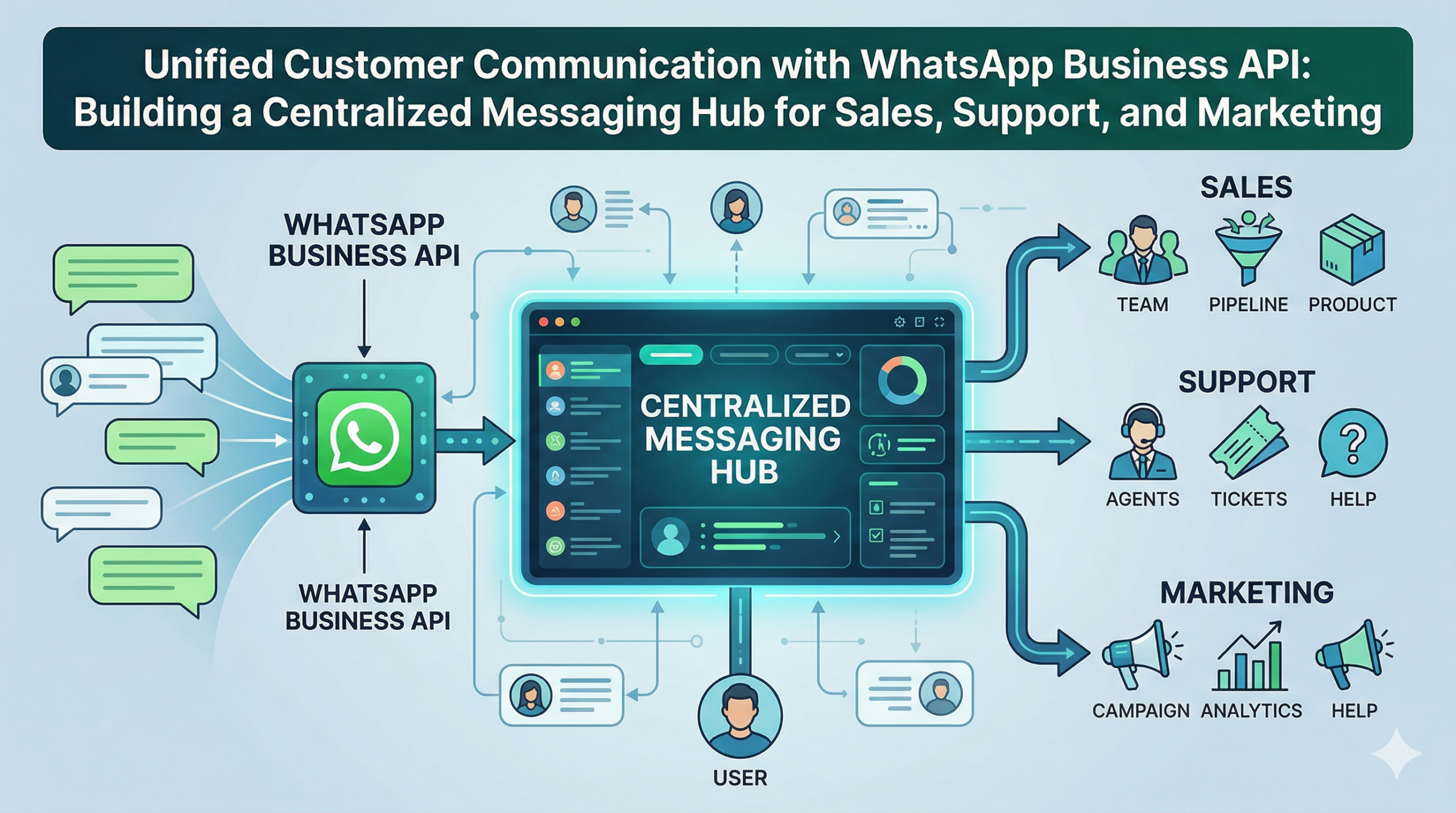
A unified messaging hub solves this problem by bringing customer conversations into one central system. Instead of treating sales, support, and marketing as separate communication functions, businesses can connect them through a shared messaging layer. WhatsApp is especially well suited for this role because it is already a primary communication channel for customers in many markets. With WhatsApp Business API, businesses can turn WhatsApp into a central interaction layer where teams collaborate around a single customer thread, rather than managing isolated conversations in disconnected tools.
Why Unified Messaging Matters
A unified messaging hub is more than an inbox. It is an operating model for customer communication. It allows a company to receive, organize, route, and respond to all major customer interactions from one place, while preserving the purpose of each conversation. A sales inquiry can move toward qualification and conversion. A support issue can move toward resolution. A marketing response can move toward engagement or follow-up. The customer sees one brand and one conversation, while the business sees an organized workflow behind it.
WhatsApp can act as the central layer because it combines reach, speed, and familiarity. Customers already use it daily, so they do not need to learn a new interface or install another app. Businesses can meet them where they already are, then connect that channel to internal systems that manage context, ownership, and history. This makes WhatsApp more than a messaging app; it becomes the front door to the customer relationship.
For SaaS companies, D2C brands, service businesses, and local businesses alike, this matters because the same customer often interacts with multiple departments. A prospect may ask about pricing, then request a demo, then open a support ticket after purchase. If those interactions live in separate systems, the brand feels disorganized. If they live in one unified hub, the brand feels responsive and coordinated.
How WhatsApp Business API Supports Teams
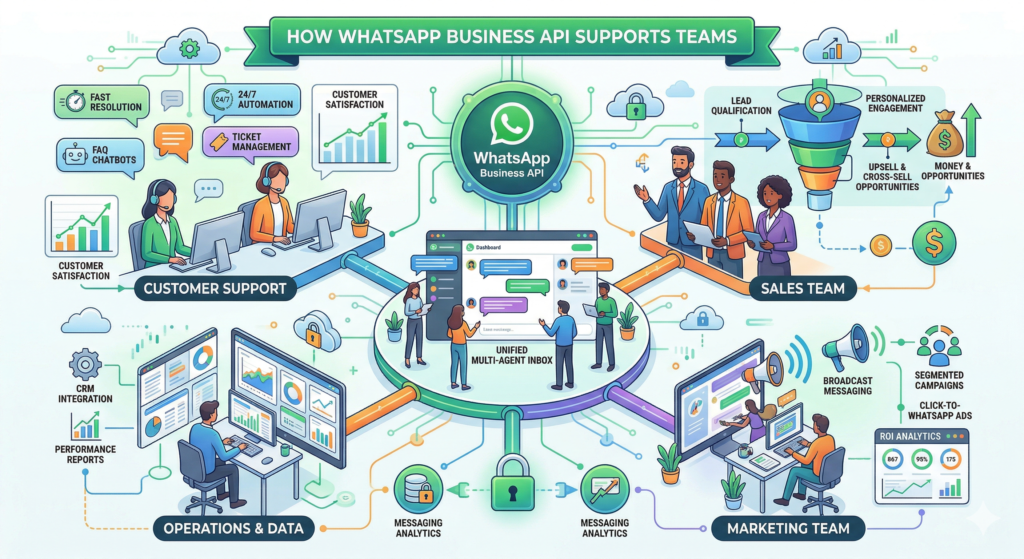
WhatsApp Business API gives businesses the infrastructure to manage conversations at scale. It allows multiple users, agents, and teams to work from a shared system instead of a single phone. That shared environment can include assignment rules, tags, notes, conversation history, automation triggers, and status tracking. Each interaction can be tied to a customer record so that the business understands who the person is, what they need, and where they are in the journey.
Sales teams can use the same system to qualify leads, answer product questions, and move prospects forward. Support teams can use it to manage issues, identify urgency, and resolve problems faster. Marketing teams can use it to respond to campaign replies, send follow-ups, and continue engagement with interested users. Because the system keeps everything in one place, a conversation started by marketing can be picked up by sales or support without asking the customer to repeat themselves.
This shared setup also improves accountability. Managers can see who owns each conversation, how long a reply took, and whether the issue was resolved. Teams can tag conversations by topic, priority, or stage, making it easier to route work and analyze patterns. The result is a messaging environment that supports collaboration instead of isolated handling.
Intelligent Routing by Intent
Not every customer message should follow the same path. A sales query needs a different response from a support issue, and a marketing reply may need a different workflow again. Intelligent routing helps businesses classify conversations based on intent and send them to the right team quickly. This can happen through keywords, menu selections, form responses, previous customer history, or automation rules that interpret the first message.
For example, a customer asking about pricing, plans, or product features may be routed to sales. A customer reporting a login problem, delivery issue, or refund request may go to support. A customer replying to a promotional campaign may be routed to marketing for follow-up or qualification. Once routed, the conversation can be assigned to the right queue or agent, and the customer can receive an immediate acknowledgment so they know their message is being handled.
This kind of routing improves both speed and quality. Sales agents spend less time sorting inboxes, support agents spend less time handling unrelated requests, and marketing teams spend less time manually filtering responses. Customers benefit too, because they reach the right person sooner and receive answers that match their intent.
CRM Integration and the Single Customer View
CRM integration is what turns WhatsApp from a messaging channel into a unified customer system. When WhatsApp conversations sync with CRM records, every team can see the same customer profile, interaction history, and status. That creates a single customer view across sales, support, and marketing.
A sales rep can see whether a lead has already contacted support. A support agent can see whether the customer is in an active deal stage. A marketer can see whether a customer recently complained, purchased, or requested information. This context leads to better decisions and more relevant communication.
A strong CRM connection also improves segmentation. Businesses can group contacts by lifecycle stage, purchase history, issue type, engagement level, or campaign response. This makes follow-ups more relevant and timely, turning WhatsApp into a data-driven channel instead of just a chat tool.
Automation Without Losing the Human Touch
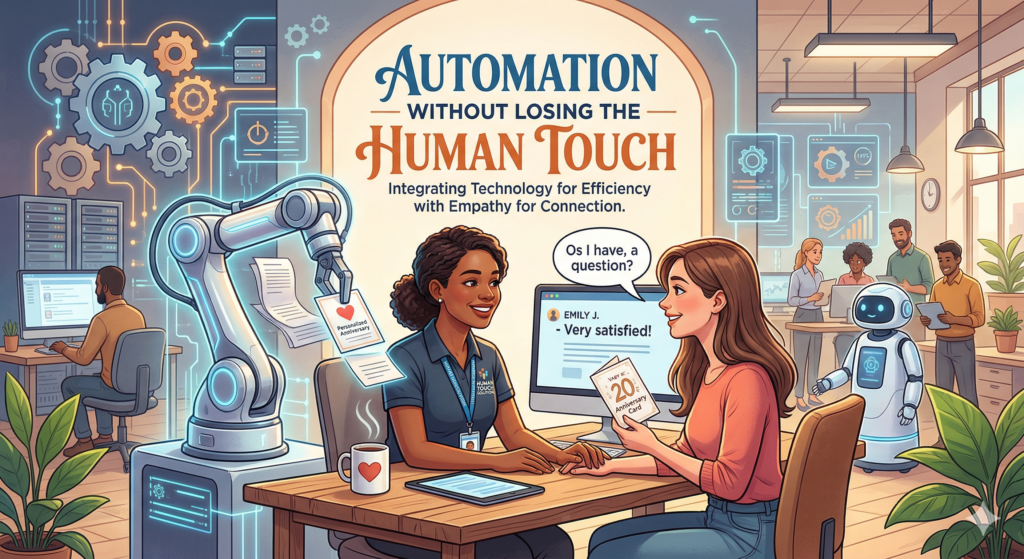
Automation is essential in a unified messaging hub, but it should support people rather than replace them. The best workflows handle repetitive tasks, not complex relationships. For instance, the system can send welcome messages, confirm receipt of a query, collect basic details, assign tags, or route a conversation to the right team.
At the same time, the system should allow easy human handoff when a conversation becomes complex. This balance preserves efficiency while keeping communication personal.
Automation also helps teams manage peak traffic by handling initial responses and reducing delays. Agents can then focus on higher-value conversations.
Real-World Style Example
Consider a growing B2B software company that previously managed customer communication through separate systems. Sales used one inbox, support used a helpdesk, and marketing ran WhatsApp campaigns through a different platform. Leads came in from multiple sources, but no one had a complete view of the customer.
After unifying communication through WhatsApp Business API and integrating it with CRM, everything changed. Messages were routed by intent, conversations were logged under one profile, and teams could collaborate seamlessly.
The result was faster response times, better lead follow-up, improved support resolution, and more effective marketing. The business became more coordinated and customer-focused.
Analytics and Visibility
A unified messaging hub improves visibility across all teams. Businesses can track response times, resolution rates, campaign performance, and conversation volume from one place.
This data helps optimize staffing, improve workflows, and identify bottlenecks. Over time, analytics turn messaging into a strategic advantage rather than just an operational function.
Compliance and Quality Control
Unified communication requires discipline. Businesses must respect opt-ins, follow messaging policies, and maintain quality communication.
Sales messages should be helpful, support replies should be accurate, and marketing messages should be relevant. A centralized system makes it easier to enforce these standards.
Data security is also critical. Role-based access ensures that only authorized users can view sensitive information, protecting customer privacy.
The Future of Unified Messaging

Unified messaging systems will become more intelligent with AI. Future systems will understand intent, suggest responses, and automate decisions.
Businesses will be able to act proactively—identifying leads, resolving issues faster, and improving customer relationships through smarter communication.
WhatsApp Business API provides the foundation. The next step is building systems where every conversation contributes to a stronger, more connected customer experience.
FAQ
What is a unified messaging hub?
A unified messaging hub is a system where all customer communication (sales, support, and marketing) is managed from one central platform.
Why use WhatsApp for unified communication?
WhatsApp is widely used, familiar to customers, and supports real-time conversations, making it ideal as a central communication layer.
How does WhatsApp Business API help teams?
It allows multiple teams to access conversations, assign chats, automate workflows, and integrate with CRM systems.
What is intelligent routing in messaging?
It is the process of directing customer messages to the right team based on intent, such as sales, support, or marketing queries.
Why is CRM integration important?
CRM integration creates a single customer view, helping teams access full conversation history and improve communication.
Can automation replace human agents?
No, automation supports repetitive tasks, but human agents are essential for complex and personalized interactions.
Is unified messaging secure?
Yes, when implemented with proper access controls and data policies, it ensures both efficiency and customer data protection.