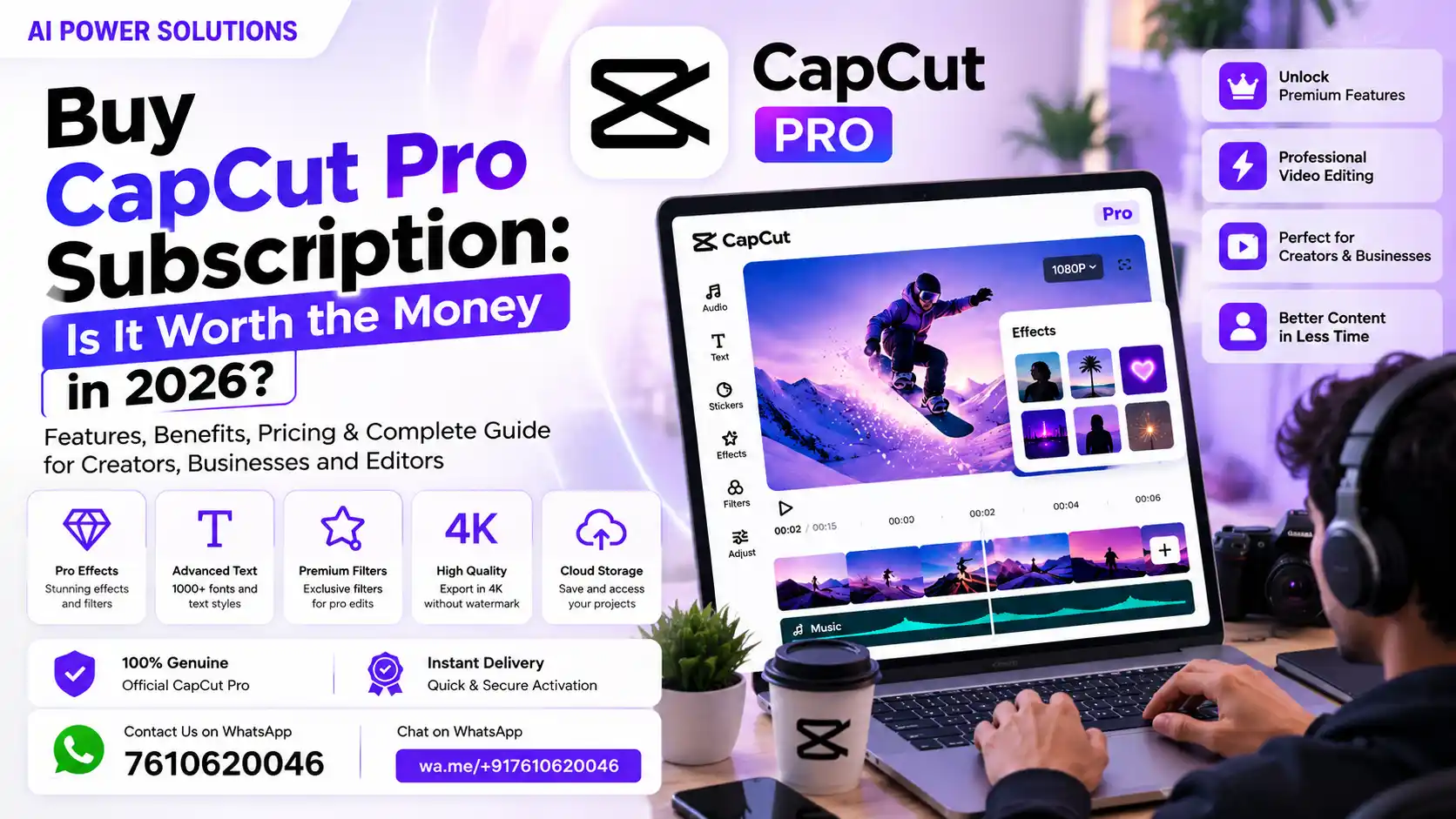
Short-form video content dominates social media feeds, search algorithms, and digital marketing strategies across the globe. Whether you are creating viral TikToks, Instagram Reels, or YouTube Shorts, publishing high-quality video content consistently is essential for growth. However, producing compelling videos quickly requires software that balances speed, advanced creative tools, and ease of use. When creators look to Buy CapCut Pro Subscription packages, they often wonder if paying for a premium tier truly elevates their content or if the free version remains sufficient for their daily editing needs.
Before making a financial commitment, every content creator must evaluate their editing requirements against their monthly software budget. Investing in a paid subscription should save significant production time, unlock essential creative features, and improve overall video quality. This comprehensive guide breaks down everything you need to know about CapCut Pro, comparing its features, pricing options, real-world utility, and potential downsides to help you make a smart, informed decision in 2026.
Why Are Creators Considering CapCut Pro in 2026?
The Growing Demand for Faster Video Editing
Audience attention spans continue to shrink, while publishing frequency demands continue to rise. Today, creators must produce multiple video clips per week—or even per day—to maintain engagement on major social platforms. Relying on slow, complex desktop editors often creates bottleneck issues, delaying production and causing creators to miss fast-rising viral trends.
Why Content Creators Need More Than Basic Editing Features
Basic cuts and simple transitions are no longer enough to capture viewer attention in saturated feeds. Audiences expect dynamic motion captions, professional color grading, studio-grade audio noise reduction, and eye-catching visual effects. As viewers become more discerning, basic video cuts can make content look outdated or unprofessional.
How Premium Editing Features Can Improve the Content Creation Workflow
Upgrading to a CapCut Pro Subscription gives creators access to automated artificial intelligence tools that perform complex editing tasks in seconds. Capabilities like automatic background removal, precise speech-to-text subtitling, AI tracking, and high-bitrate 4K exports streamline post-production, allowing creators to spend less time editing and more time planning strategic content.
Who Is Most Likely to Benefit From CapCut Pro?
- Active Social Media Creators: Marketers and influencers producing daily Shorts, Reels, or TikTok clips.
- YouTube Educators & Vloggers: Long-form video creators who need fast speech cleaning and dynamic visual overlays.
- Digital Agencies & Freelancers: Professionals delivering client videos on tight deadlines.
- E-Commerce Brands: Sellers creating rapid product promo clips and video ads.
What Is CapCut Pro Subscription?
Understanding CapCut Pro
CapCut Pro is the premium, paid upgrade to the widely popular CapCut video editing software ecosystem. Developed by ByteDance, the software operates seamlessly across mobile devices, desktop computers, and web browsers, synchronizing project files through cloud integration.
What Does a CapCut Pro Subscription Include?
A verified CapCut Pro Subscription grants complete access to the suite’s advanced editing capabilities and creative asset libraries. Key highlights included in the premium tier feature:
- 12-Month / Annual or Monthly Access: Unlocks full feature availability across all connected devices.
- Premium Effects & Pro Filters: High-end visual overlays, cinematic color presets, and dynamic transition animations.
- Pro Templates: Exclusive access to trending, pre-built video layouts designed for viral social content.
- Advanced Audio Tools: AI noise reduction, vocal isolation, audio enhancement, and sound design libraries.
- Watermark-Free & High-Bitrate Exports: Clean exports supporting 4K resolution and 60 FPS frame rates without platform branding.
- Private Email Activation: Seamless binding directly to your personal or business user account.
How CapCut Pro Differs From the Basic Editing Experience
While the standard free edition covers basic trimming, text additions, and simple filters, it restricts access to key AI tools and trending visual effects. When free users select pro elements, they are blocked from exporting until those premium features are removed. CapCut Pro removes all export locks, expanding creative options without restrictions.
Who Should Consider a CapCut Pro Subscription?
If video editing is central to your income, brand growth, or client deliverables, upgrading to a paid tier provides immediate practical benefits. However, if you only edit casual family clips or occasional personal videos, the standard free tools are likely adequate.
CapCut Pro vs Free: What Is the Difference?
Understanding the precise differences between free and paid tiers ensures you don’t overpay for tools you won’t use.
| Feature Area | CapCut Free Edition | CapCut Pro Subscription |
| Visual Effects & Filters | Basic library access | Unlimited access to Pro Effects & Filters |
| Templates | Standard public templates | Exclusive Pro Templates & trending layouts |
| Audio Processing | Basic volume & fade controls | Advanced AI Audio Tools, Noise Reduction & Vocal Isolation |
| AI Enhancements | Limited background removal | Pro Auto-Cutout, Smart Tracking, AI Motion Blur |
| Export Options | Standard resolution exports | High-bitrate 4K exports at 60 FPS without watermarks |
| Device Syncing | Basic cloud space | Extended cloud storage and multi-device sync |
Free Editing Features
The free version provides essential multi-track timeline editing, basic speed curve adjustments, standard text overlays, and access to a foundational library of royalty-free audio tracks and stickers.
Premium Features Available With CapCut Pro
Upgrading unlocks specialized AI capabilities like smart video stabilization, body shape adjustments, advanced skin smoothing, noise reduction, automatic camera tracking, and speed ramping presets.
Export Options and Additional Capabilities
Pro users export videos at higher bitrates and maximum resolutions without encountering feature paywalls during final rendering. This ensures your final video retains crisp visual details when uploaded to social media platforms.
When the Free Version May Be Enough
The free tier is ideal for students, casual creators, or hobbyists who post infrequently and don’t require advanced audio cleanup or specialized visual effects.
When Upgrading to CapCut Pro Makes More Sense
If you manage client campaigns, publish weekly monetized YouTube videos, or rely on fast auto-captioning to drive high social view counts, upgrading to CapCut Pro pays for itself in time saved.
What Features Make CapCut Pro Worth Considering?
| Core Feature Category | Key Functionality | Main Benefit for Creators |
| 1. Premium Visual Effects | Cinematic presets, filters & pro transitions | Delivers high-end visuals instantly |
| 2. AI Audio Cleaning | Smart noise reduction & voice isolation | Ensures studio-quality audio in noisy environments |
| 3. Smart Auto-Cutout | One-click background removal | Removes backgrounds cleanly without a green screen |
| 4. Pro Motion Tracking | Smooth object, body & face tracking | Applies overlays and text that follow subjects smoothly |
| 5. High-Bitrate 4K Exports | Maximum resolution output without watermarks | Keeps social media uploads crisp and professional |
Premium Editing Features
Pro users gain access to precise color wheels, keyframe animation enhancements, custom curves, and optical flow smooth motion blur, giving short-form videos a polished, cinematic look.
AI-Powered Editing Capabilities
Artificial intelligence tools drastically reduce manual editing tasks:
- Auto-Captioning & Styling: Generates and styles animated subtitles automatically in dozens of languages.
- Vocal Isolation: Separates speech from background music or ambient noise with a single click.
- AI Relighting & Retouching: Adjusts subject lighting and applies subtle facial enhancements in post-production.
Templates and Creative Resources
Exclusive Pro templates allow creators to jump on viral audio trends instantly. Pre-built text animations, lower thirds, and title graphics keep video branding clean and modern.
Advanced Effects and Customization
Pro effects include realistic light leaks, glitch overlays, retro camera frames, and 3D zoom transitions that make videos feel dynamic and engaging.
Features That Can Save Time for Regular Creators
Batch caption editing, cloud project backup, and one-click aspect ratio adjustments (switching between 9:16 vertical and 16:9 horizontal) eliminate hours of tedious formatting work.
Who Should Buy CapCut Pro?
CapCut Pro for YouTube Creators
Long-form YouTubers and Shorts creators benefit from automatic silence removal, crisp 4K rendering, and AI audio enhancements that make voiceover tracks sound clear and professional.
CapCut Pro for Short-Form Content Creators
Creators producing TikToks, Instagram Reels, and YouTube Shorts rely heavily on dynamic, animated captions and trending Pro effects to maintain high retention rates during the first few seconds of a video.
CapCut Pro for Social Media Marketers
Marketers running social media ad campaigns require clean, watermark-free visual assets that reflect corporate brand standards. Utilizing Pro templates allows agencies to produce variations for A/B testing quickly.
CapCut Pro for Freelancers
Freelancers who edit videos for local business clients or online influencers can leverage Pro tools to deliver professional, agency-quality results without investing in complex desktop suites.
CapCut Pro for Beginners
Because the user interface remains intuitive and drag-and-drop based, beginners can produce advanced visual effects without facing the steep learning curves typical of professional editing software.
Understanding CapCut Pro Price in 2026
What Determines CapCut Pro Price?
The CapCut Pro price varies based on plan duration, regional tax adjustments, platform store fees, and authorized promotional distribution channels.
Monthly vs Annual Subscription Options
When looking to Buy CapCut Pro, users can choose between recurring monthly billing or discounted annual subscriptions.
| Subscription Plan | Standard Retail Value | Promotional / Deal Price | Key Inclusions & Warranty |
| CapCut Pro 1 Year (12 Months) | ₹12,000.00 | ₹5,598.00 | Full 12-Month Access, Pro Effects & Templates, Advanced Audio Tools, Watermark-Free Exports, Private Activation on Your Email, 100% Genuine with Full Warranty & Support |
What You Should Check Before Paying
Before completing a transaction, verify that the purchase includes:
- Private Account Activation: Ensures the license binds directly to your existing email account.
- Full Term Warranty: Guarantees uninterrupted service throughout the entire 12-month period.
- Customer Support Access: Provides quick assistance via channels like WhatsApp or email if setup questions arise.
Understanding Renewal Pricing
Always confirm whether your selected plan includes automatic recurring billing or if it is a single upfront annual license. Understanding renewal schedules prevents surprise credit card charges.
How to Evaluate the Cost Based on Your Usage
Calculate your cost per video. If an annual plan costing ₹5,598 helps you produce 100 videos a year, your editing software cost is less than ₹56 per video—an exceptional investment for active creators.
Is CapCut Pro Worth the Money in 2026?
When CapCut Pro Can Be a Good Investment
A CapCut Pro Subscription is a smart investment if you edit videos regularly, monetize your social channels, run paid advertising campaigns, or handle client projects where speed and high production value drive revenue.
When the Free Version May Be a Better Choice
Staying with the free version makes sense if you only edit personal vacation clips, create videos occasionally as a casual hobby, or do not require advanced AI audio cleaning and Pro templates.
How Frequently You Create Videos Matters
The value of any software subscription scales directly with how often you use it. Frequent use yields significant time savings and higher production value, easily justifying the subscription cost.
How Premium Features Can Save Time
Saving 20 to 30 minutes per video through automated captions, one-click background removal, and AI audio cleaning adds up to dozens of hours saved over a year.
Evaluating CapCut Pro Based on Your Content Goals
Align your software investments with your long-term creative ambitions. If your goal is to build a professional brand or scale a YouTube channel, equipping yourself with reliable tools is a crucial first step.
Top 7 Mistakes to Avoid Before You Buy CapCut Pro
Mistake #1 – Buying CapCut Pro Without Knowing Your Editing Needs
Purchasing a subscription without reviewing your current post-production bottlenecks often leads to underutilizing the software’s features.
Mistake #2 – Assuming Every Premium Feature Is Necessary
Do not assume you need every advanced tool immediately. Audit your current editing style to see if Pro features align with your specific content format.
Mistake #3 – Choosing a Subscription Based Only on Price
Focusing purely on the lowest price tag can lead to buying unauthorized, shared tenant accounts that risk sudden deactivation and loss of project data.
Mistake #4 – Ignoring Renewal Pricing
Failing to verify renewal rates or auto-billing settings can cause unexpected bank deductions when the initial term ends.
Mistake #5 – Not Checking What Is Included in the Plan
Always verify that your chosen package includes full desktop and mobile access, private email activation, and full warranty coverage.
Mistake #6 – Buying Without Considering Your Content Frequency
If you only produce one video every few months, a paid annual plan may not deliver enough practical value to justify the cost.
Mistake #7 – Not Comparing the Free and Pro Features First
Test the free version thoroughly before purchasing. Ensure you have tested the interface and understand which Pro features you actually need.
CapCut Pro Buying Checklist: What to Check Before Purchasing
Use this quick checklist before completing your purchase:
- [ ] Define Your Editing Requirements: Identify specific features you need, such as AI captions, noise reduction, or 4K export support.
- [ ] Test Free Tools First: Ensure you enjoy the core CapCut editing layout and timeline mechanics.
- [ ] Verify Account Setup: Confirm the license registers directly to your personal email account.
- [ ] Check Terms & Warranty: Ensure your purchase includes full-term warranty protection and genuine software verification.
- [ ] Evaluate Total Cost vs Usage: Calculate your cost per video based on expected monthly uploads.
- [ ] Ensure Reliable Customer Support: Confirm the seller offers accessible customer support channels (e.g., WhatsApp or live chat).
Should You Buy CapCut Pro or Stay With the Free Version?
Choose CapCut Pro If You Create Videos Regularly
If you upload content multiple times a week, run sponsored campaigns, or edit for clients, upgrading to Buy CapCut Pro delivers immense speed, convenience, and creative range.
Stay With the Free Version If Your Editing Needs Are Basic
If your content creation is casual and basic cuts, standard transitions, and free music tracks meet your goals, the free version remains a fantastic choice.
Choose Pro If Premium Features Save You Significant Time
If automated speech-to-text, vocal isolation, and auto-cutout save you hours of tedious manual work each week, the time savings alone make the upgrade worthwhile.
Consider Your Long-Term Content Creation Goals
Investing in quality tools signals a commitment to growing your brand. Choosing reliable software ensures your content quality keeps pace with audience expectations.
How AI Power Solutions Supports Your Content Creation Journey
Managing multiple software subscriptions and finding reliable, cost-effective digital tools can be challenging for creators, marketers, and small businesses.
At AI Power Solutions, we help individuals, working professionals, students, marketers, and businesses discover affordable software options, AI tools, premium digital subscriptions, and productivity solutions. By curating high-quality digital products and modern technology tools, AI Power Solutions supports creators in finding reliable tools that improve creative efficiency and simplify daily work.
Frequently Asked Questions About CapCut Pro
Is CapCut Pro Worth Buying in 2026?
Yes. For active content creators, social media marketers, and freelancers, the time saved through AI auto-captioning, audio noise reduction, and access to Pro templates makes CapCut Pro a valuable investment.
What Is the CapCut Pro Price in 2026?
The CapCut Pro price varies based on plan terms and promotional offers. A standard 12-month license can be acquired through authorized deals for approximately ₹5,598.00 (discounted from the standard ₹12,000.00 retail rate), including private email activation and full warranty coverage.
What Is Included in a CapCut Pro Subscription?
A full subscription includes access to Pro effects, exclusive templates, advanced AI audio cleaning tools, watermark-free 4K exports, private email account binding, and multi-device cloud synchronization.
What Is the Difference Between CapCut Pro and Free?
While the free version provides core timeline editing tools, CapCut Pro vs Free differs by offering exclusive visual effects, AI-powered cutout tools, vocal isolation, noise reduction, high-bitrate exports, and watermark removal.
Is CapCut Pro Good for Beginners?
Yes. Thanks to its clean drag-and-drop interface, pre-built templates, and automated AI assistance, beginners can produce polished, professional-looking videos without needing extensive technical training.
Is CapCut Pro Useful for YouTube Creators?
Absolutely. YouTube creators benefit greatly from crisp 4K rendering, automated subtitle styling, dynamic lower thirds, and AI noise reduction that keeps voice tracks clean.
Should I Buy CapCut Pro Monthly or Annually?
If you plan to produce video content consistently throughout the year, an annual subscription offers significantly better long-term value and lower per-month costs compared to recurring monthly payments.
Final Verdict: Is CapCut Pro Worth Buying in 2026?
Who Should Buy CapCut Pro
Upgrading to Buy CapCut Pro is ideal for active social media creators, YouTubers, digital agency leads, and freelancers who require fast, high-quality video production, AI-powered editing tools, and watermark-free 4K exports.
Who Should Stick With the Free Version
Hobbyists, casual video editors, and occasional social posters should remain with the free version, as it provides plenty of basic editing functionality without recurring expenses.
Make Your Decision Based on Features, Usage, and Overall Value Evaluate your video publishing schedule, review your editing bottlenecks, and choose the software tier that supports your creative goals. By equipping yourself with genuine digital software from AI Power Solutions, you can elevate your video content, streamline post-production, and stand out across every digital platform in 2026!