Choosing the right Office 365 subscription is one of the most important software decisions for students, freelancers, and growing enterprises today. Although many people still search for Office 365, Microsoft now brands most consumer subscriptions as Microsoft 365. Whether you are drafting reports in Word, crunching financial models in Excel, or managing complex project workflows, cloud-driven software suites keep your daily operations running smoothly.
When planning an Office 365 Subscription Buy, navigating the software licensing landscape can quickly become overwhelming. With dozens of tiers, varying renewal terms, and questionable third-party software offers, making an uninformed decision can lead to bloated recurring expenses, sudden service interruptions, or compromised personal data.
Why Buying the Right Office 365 Subscription Matters
Selecting the correct subscription tier isn’t just about obtaining access to desktop applications; it directly impacts your overall productivity, team collaboration, and digital security. The ideal licensing tier equips you with appropriate cloud storage, multi-device synchronization, and cutting-edge artificial intelligence productivity tools. Conversely, picking a mismatched plan means paying for enterprise features you never touch—or finding yourself restricted by missing administrative controls when your business scales.
Why Many Buyers End Up Choosing the Wrong Plan
Most consumers and business managers hurry through the purchasing process without auditing their true technical requirements. Many shoppers simply search online to Buy Office 365 at the absolute lowest rate they can find, assuming all activation keys and tiers are identical. Others fall into marketing traps, confusing single-user consumer licenses with full enterprise organization setups. Without understanding how cloud storage allocation, account tenant administration, and multi-user licensing work, buyers frequently end up overpaying or purchasing illicit digital credentials.
What This Guide Will Help You Avoid
This comprehensive guide breaks down the essential factors every buyer must evaluate before clicking checkout. You will learn how to accurately compare plan features across Microsoft 365 options, verify legitimate software licensing paths, navigate subscription pricing models, and identify common marketplace scams. By following our actionable advice, you will confidently secure authentic productivity software while maximizing your long-term return on investment.
Understanding Office 365 Before You Buy
What Is an Office 365 Subscription?
An Office 365 subscription (now officially known as Microsoft 365) is a cloud-based Software-as-a-Service (SaaS) model. Although many people still search for Office 365, Microsoft now brands most consumer subscriptions as Microsoft 365. Unlike traditional static software licenses that required purchasing a physical disc or a permanent license key for a single computer version, subscription models grant continuous access to the latest applications, security patches, and cloud integrations. As long as your active subscription is maintained, your software automatically updates with new capabilities, creative tools, and AI infrastructure without requiring expensive upgrade fees.
What Is Included in an Office 365 Subscription?
Modern cloud productivity subscriptions bundle classic desktop and mobile applications with cloud storage and security infrastructure. Depending on your selected tier, a typical subscription includes:
- Core Productivity Apps: Premium versions of Word, Excel, PowerPoint, Outlook, and OneNote for PC, Mac, and mobile platforms.
- Cloud Storage Solutions: Secure OneDrive cloud storage ranging from 100 GB up to 1 TB per user (and up to 6 TB for family sharing packages).
- Team & Collaboration Tools: Integrated communication apps like Microsoft Teams, Exchange business-class email, and Loop shared workspaces.
- Advanced AI & Security: Built-in AI assistant support (such as Copilot integration) and robust defender malware/phishing protections.
Key Takeaway: A subscription delivers an evolving ecosystem of connected apps and enterprise-grade cloud storage, ensuring your local and remote work environments remain synchronized.
Why Different Plans Have Different Prices
The variance in an Office 365 subscription price stems from device limits, multi-user access rules, admin management capabilities, and cloud infrastructure backend services. Basic consumer tiers cater to single users needing core productivity apps across personal devices. Higher-tier business and enterprise packages incorporate custom domain email hosting, centralized administration portals, regulatory compliance archiving, and advanced cyber threat protection. Naturally, plans designed for complex corporate IT environments carry higher price points than individual desktop user accounts.
Choosing the Right Office 365 Plan
Office 365 Personal vs Family
For home users, freelancers, and solo creators, the primary choice usually comes down to Microsoft 365 Personal versus Microsoft 365 Family tiers. While both provide access to the full suite of desktop software and cloud tools, their user limits, total storage capacities, and ideal user profiles differ significantly.
| Plan Tier | Total Users Allowed | Device Installations | Included Cloud Storage | Ideal Target Audience | Best For |
| Microsoft 365 Personal | 1 Account | Up to 5 simultaneous devices | 1 TB OneDrive | Individual professionals, freelancers, students | Single users needing multi-device productivity & 1 TB cloud storage |
| Microsoft 365 Family | Up to 6 Users | 5 devices per person (30 total) | Up to 6 TB (1 TB per person) | Households, small family teams, shared households | Multiple users or families looking to split cloud storage & app access |
Which Plan Is Best for Students, Professionals, and Businesses?
Matching your plan to your daily operating style prevents wasted expenditure:
- Students: A basic Microsoft 365 Personal tier or an academic license typically satisfies research, essay drafting, and presentation requirements.
- Independent Professionals & Marketers: Microsoft 365 Personal provides 1 TB of cloud storage, allowing smooth remote editing and content storage across laptops and tablets.
- Small Businesses & Agencies: Commercial plans (such as Business Basic, Business Standard, or Business Premium) are necessary to operate custom domain emails (e.g., name@yourcompany.com), manage central user controls, and host secure webinars.
When Paying More Actually Saves Money
Choosing a higher-tier package initial cost can often result in net savings. For example, a household with three or four computer users buying individual Microsoft 365 Personal plans would spend dramatically more than purchasing a single Microsoft 365 Family subscription. Similarly, a small company using separate third-party providers for business email, cloud file storage, video conferencing, and document editing can consolidate those expenses into a single business plan, saving hundreds of dollars annually per employee while simplifying billing.
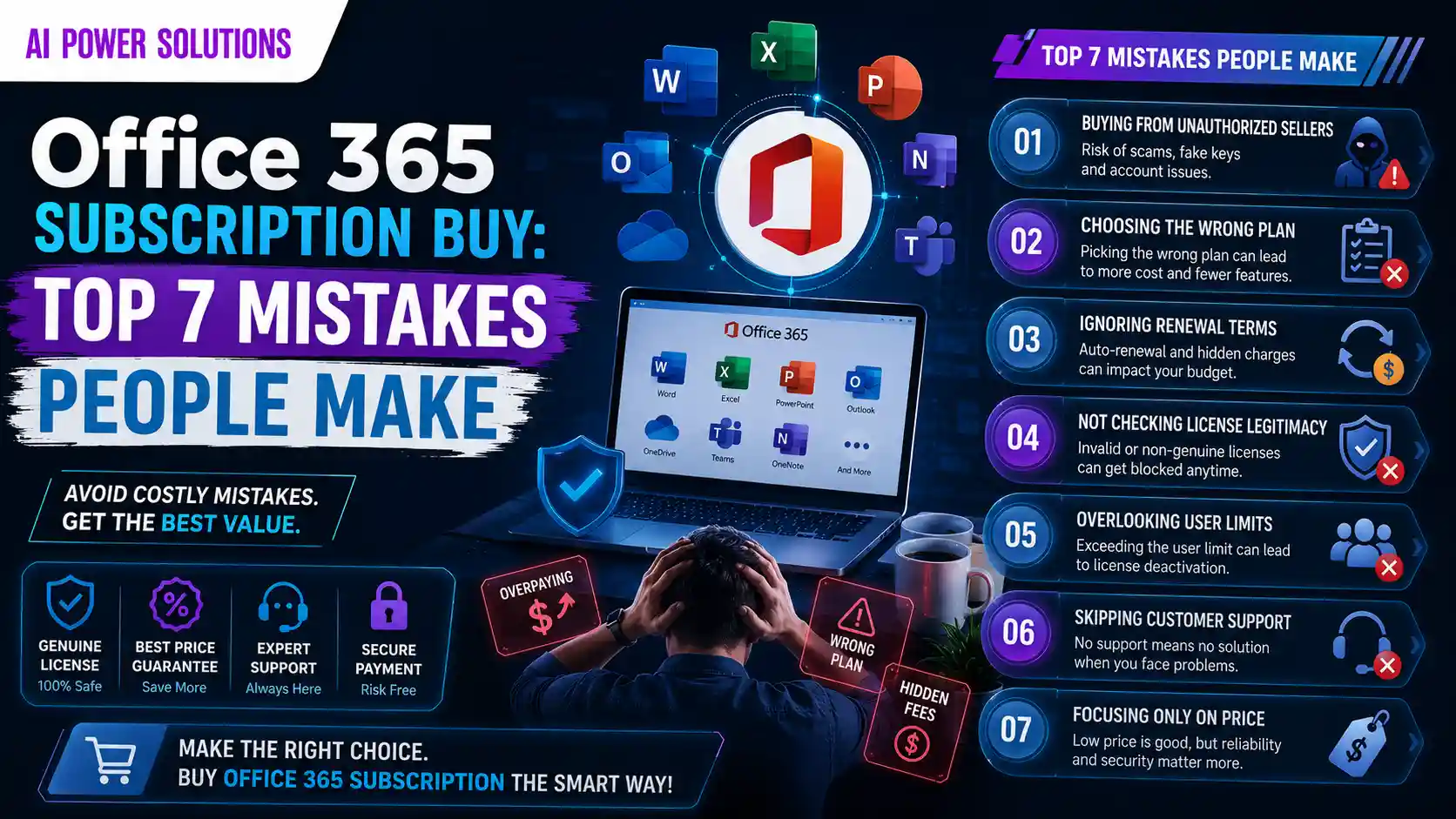
Top 7 Mistakes People Make When Buying an Office 365 Subscription
| # | Common Buying Mistake | Primary Risk & Impact |
| 1 | Chasing Lowest Upfront Price | Ignores hidden costs and restricted web-only editions |
| 2 | Choosing the Wrong Subscription Plan | Results in overpaying or lacking essential business tools |
| 3 | Purchasing from Unverified Sellers | High risk of security breaches and fraudulent keys |
| 4 | Trusting “Lifetime” Offers | Scam alert; leads to blocked accounts and lost files |
| 5 | Ignoring Renewal Pricing | Unplanned budget spikes when promotional rates expire |
| 6 | Using Shared Enterprise Keys | Zero data privacy; admins can view personal files |
| 7 | Skipping Feature Audits | Missing vital applications like offline desktop software |
Mistake #1 – Buying Only Based on the Lowest Price
The single most frequent mistake shoppers make during an Office 365 Subscription Buy process is filtering purely by the cheapest price tag. Skimping on price without reading specification details often forces users into restricted web-only editions that lack offline desktop capabilities. Furthermore, ultra-low price tags on sketchy websites often mask regional license restrictions that fail to activate in your home region.
Mistake #2 – Choosing the Wrong Subscription Plan
Many buyers pick a tier without calculating their long-term user count or storage needs. A growing team might purchase multiple individual user accounts only to realize later that they lack unified admin permissions, administrative data recovery tools, or shared calendar capabilities. Conversely, solopreneurs frequently buy high-end corporate suites containing enterprise security features they never configure.
Mistake #3 – Purchasing from Unverified Sellers
Buying digital software licenses from non-credible digital storefronts or unknown online forums carries significant financial and cyber risks. Unverified vendors often distribute unauthorized product keys generated through stolen credit cards, compromised corporate volume licenses, or fraudulent educational tenant accounts. When software developers conduct audits, these illicit product keys are disabled without notice.
Mistake #4 – Trusting Lifetime or Extremely Cheap Offers
A classic red flag in modern digital software commerce is the advertisement of a “Lifetime Cheap Office 365 subscription.” Microsoft 365 consumer subscriptions are offered on recurring subscription models. Be cautious of anyone advertising permanent cloud subscriptions for a one-time payment. Genuine lifetime licenses exist only for legacy, single-device offline Office packages (which lack cloud storage, ongoing feature upgrades, and mobile apps). Sellers offering “lifetime cloud access” for a small one-time fee are usually reselling unauthorized tenant accounts that will eventually be closed.
Mistake #5 – Ignoring Renewal Pricing
Promotional introductory pricing can be enticing, but savvy buyers always check the full recurring auto-renewal rate. A heavily discounted first-year offer might automatically renew at a significantly higher standard price the following year. Failing to keep track of renewal terms, billing schedules, and regional tax additions can result in unexpected credit card charges.
Mistake #6 – Using Shared or Unauthorized Accounts
To save cash, some buyers purchase “pre-activated” user login credentials from unauthorized sellers on peer-to-peer auction sites. In this scenario, the buyer receives a pre-created login email and password belonging to an external, unknown organization tenant. The administrator of that global organization tenant retains full access visibility to all files, private emails, and personal documents stored on that OneDrive account, posing a severe security risk.
Mistake #7 – Not Checking What’s Included in the Subscription
Assuming all software packages include every desktop application is a recipe for disappointment. For instance, certain starter business subscriptions only provide access to web browser and mobile app versions of Word and Excel, omitting offline desktop software installations. Other specialized packages may omit business email hosting or advanced communications tools. Always verify the included software checklist before completing your purchase.
How to Buy an Office 365 Subscription Safely
Verify the Seller Before Purchasing
Prioritize safety by verifying the credentials and customer track record of any software provider. Look for official platform partnerships, transparent contact information, verifiable physical business addresses, clear customer service responsiveness, and positive authentic user feedback.
Check Official Microsoft Partner Status
When buying from third-party retailers or digital providers, verify whether the seller is an authorized reseller or official partner. Legitimate software distributors openly state their partnership credentials and maintain clear licensing chains. Purchasing through verified partner channels ensures your license key is 100% genuine, backed by official licensing, software updates, and customer support.
Compare Subscription Features
Before checking out, systematically list the specific tools your daily workflow demands. Ask critical questions:
- Do I need offline desktop access, or are web-based tools sufficient?
- How many gigabytes or terabytes of secure cloud storage do my project files require?
- Do I require personalized corporate email addresses tied to my custom business web domain?
- Will my work benefit from advanced artificial intelligence drafting and analytical capabilities?
Check Device and User Limits
Ensure your chosen tier covers all your physical hardware. Standard individual plans like Microsoft 365 Personal allow a single user to log into up to 5 devices simultaneously—including desktop PCs, laptops, smartphones, and tablets. If you need to share access across family members or employees, choose a multi-user tier like Microsoft 365 Family or a business plan rather than sharing individual login details, which violates end-user terms and creates security risks.
Understand the Activation Process
Authentic subscription purchases follow a straightforward, secure redemption process. You should receive an official digital activation license key or a direct invitation link that binds directly to your personal or company account. If a seller requires you to use a pre-created, generic email address provided by them, halt the purchase immediately.
Review the Renewal and Cancellation Policy
Always read the seller’s explicit policies regarding auto-renewal schedules, refund grace periods, and account management terms. Reliable subscription providers give users convenient access controls to manage, pause, or adjust subscription tiers directly through an intuitive dashboard without hidden penalty fees.
Warning Signs of a Fake or Risky Office 365 Subscription
| Warning Indicator | What It Means & Threat Level |
| Unrealistically Low Prices | Price is 80-90% lower than standard retail; high risk of pirated software |
| Pre-Made Login Delivered | Seller provides a pre-assigned email address instead of a license activation key |
| Suspicious Activation | Requires downloading third-party tools or modifying network settings |
| No Official Invoice | Lack of official tax invoice (such as a GST invoice where applicable) |
| No Clear Support / Policy | Absence of refund guarantees, privacy policies, or verified contact info |
| “Lifetime Cloud” Claims | Promises permanent cloud access for a single one-time payment |
Unrealistically Low Prices
If a deal claims to offer a full annual subscription for a couple of dollars, approach with extreme caution. Genuine software licenses involve legitimate infrastructure and licensing fees; prices slashed by 80% to 90% almost always indicate pirated, cracked, or unauthorized volume keys.
No Business Information or Customer Support
Legitimate software vendors operate with full organizational transparency. Avoid storefronts that lack clear customer support channels, active helpdesk channels, terms of service documentation, or company registration credentials.
Shared Accounts Instead of Licensed Accounts
If a seller delivers a pre-generated username (e.g., user1234@unknown-domain.com) and tells you to log in with that assigned account rather than activating your existing personal or business account, you have been sold a shared enterprise slot. This poses severe data privacy risks, as external global administrators can access your stored documents at any time.
No Official Invoice
A major red flag when buying software online is the inability of the seller to provide an official billing receipt or official tax invoice (such as a GST invoice where applicable). Legitimate sellers always issue proper billing records for tax deductions and standardized itemized receipts. Sellers that operate purely via informal money transfers without tax invoicing are often operating illegally.
No Refund or Replacement Policy
Trustworthy subscription sellers stand behind their products with transparent return policies, transaction guarantees, and dedicated technical help. If an online site states that all sales are final with zero buyer protections or immediate replacement guarantees for non-activating keys, shop elsewhere.
Suspicious Activation Methods
Legitimate subscription setup never requires downloading third-party executable files, “crack” utilities, or changing system network settings. Activation must always occur through official setup portals.
How to Compare Office 365 Subscription Plans Before Buying
Compare Features Instead of Just Price
To make an informed decision when evaluating the Office 365 subscription price, look beyond the headline figure. Evaluate total value by weighing app availability, storage capacity, and administrative convenience side by side.
| Evaluation Area | Key Features to Assess | Value Contribution |
| Feature Set | Desktop Apps, Web Editions, Mobile Platforms | High operational flexibility |
| Cloud Services | OneDrive Storage Capacity, Custom Email Domain | Eliminates extra cloud storage fees |
| Support & Safety | AI Enhancements, Customer Support, Updates | Protects productivity & data |
Understand Cloud Storage and Microsoft Apps
Cloud storage is a fundamental component of the software package. Having 1 TB of individual OneDrive cloud space in plans like Microsoft 365 Personal eliminates the need for separate cloud storage subscriptions. Ensure the cloud features suit your data backup habits, mobile photo syncing requirements, and large file sharing demands.
Check Multi-Device Support
Modern professionals work seamlessly across desktop PCs, MacBook laptops, iPads, and smartphones. Confirm that your chosen tier grants concurrent multi-device logins so your files, recent history, and application preferences remain synchronized wherever you work.
Look at Long-Term Value
Calculate the annual cost of ownership over a two- to three-year horizon rather than focusing solely on the upfront monthly payment. Choosing annual billing structures over monthly cycles often delivers significant cost reductions.
Office 365 Subscription Buying Checklist
Before entering your payment details online, review this quick reference checklist to ensure a safe, cost-effective transaction:
- [ ] Confirm the Subscription Type: Verify whether the package is Microsoft 365 Personal, Microsoft 365 Family, or a Business tier.
- [ ] Verify Account Ownership: Ensure the license key registers directly to your existing account.
- [ ] Check Total Renewal Cost: Understand both the initial promotional rate and future recurring costs.
- [ ] Ensure Secure Payment Methods: Confirm the digital merchant uses encrypted, protected payment gateways.
- [ ] Save Purchase Details: Store invoice receipts, order numbers, and license keys securely for future customer support needs.
Is a Cheap Office 365 Subscription Worth Buying?
When a Cheap Subscription Is a Smart Choice
A discounted or Cheap Office 365 subscription is worth purchasing when offered through authentic promotional deals, authorized educational institution discounts, bundled hardware purchases, or reputable digital technology providers. In these scenarios, lower pricing reflects genuine sales promotions or volume distribution advantages, giving you full software features at a lower cost.
When Paying More Is the Better Option
Paying standard retail rates is far better than risking unauthorized product keys that jeopardize your file security or result in sudden account deactivation. If your daily business operations depend heavily on sensitive client communications, financial spreadsheets, or regulatory data compliance, paying for guaranteed authentic licensing and reliable customer support is a critical business investment.
How to Get the Best Value for Your Money
The best way to maximize software budget value is to match your real-world usage with legitimate discount channels.
At AI Power Solutions, we help customers compare software options and discover genuine digital subscription deals, premium digital suites, AI enhancements, and productivity tools. By sourcing high-quality digital products and modern technology solutions, AI Power Solutions supports users in making smart, safe, and cost-effective software choices.
Frequently Asked Questions
Is It Safe to Buy an Office 365 Subscription Online?
Yes, provided you purchase through verified software vendors or trusted digital solution platforms. Always ensure the checkout process uses secure HTTPS encryption, provides full transaction documentation, and delivers standard activation keys rather than pre-created third-party login credentials.
Why Do Office 365 Subscription Prices Vary?
An Office 365 subscription price varies based on user allocations, total cloud storage limits, included applications (web vs. desktop), administrative permissions, and advanced security configurations. Specialized business packages include custom domain hosting and enterprise governance, which carry higher tier costs than standard consumer plans.
Can Microsoft Disable an Unauthorized Subscription?
Yes. Microsoft continuously audits platform license activations. If an activation key is identified as originating from a compromised enterprise agreement, fraudulent credit card charge, or unauthorized tenant reseller, the license is revoked. When this happens, users lose access to desktop applications and cloud-stored files without warning.
Which Office 365 Plan Is Best for Home Users?
For individual users managing personal projects, Microsoft 365 Personal is ideal. For households with multiple family members or users with multiple devices, Microsoft 365 Family offers the best value, allowing up to 6 people to enjoy full application access and individual 1 TB cloud storage accounts.
Can I Upgrade My Office 365 Subscription Later?
Yes, you can easily upgrade your plan at any time. For instance, if you currently use Microsoft 365 Personal and need to upgrade to Microsoft 365 Family, Microsoft automatically converts your remaining subscription time to the new tier, adjusting your cloud storage and user limits immediately without losing any saved data.
What Should I Check Before Buying an Office 365 Subscription?
Always check seller authenticity, official partner credentials, total number of allowed user accounts, multi-device installation limits, included offline desktop app rights, total OneDrive storage capacity, and recurring auto-renewal rates.
Conclusion
The Smart Way to Buy an Office 365 Subscription
Navigating an Office 365 Subscription Buy doesn’t have to be complicated or risky. By avoiding common traps—such as chasing unverified “lifetime” claims, purchasing unauthorized shared logins, or selecting mismatched plan tiers—you protect your personal data and ensure uninterrupted access to world-class productivity tools. Focusing on total software value, genuine activation methods, and long-term utility guarantees that every dollar spent directly supports your personal, academic, or professional success.
Avoid Common Mistakes and Choose the Right Plan with Confidence Empower your work and digital lifestyle by making smart, informed software investments. Whether you choose Microsoft 365 Personal, Microsoft 365 Family, or a business plan, selecting authentic licensing guarantees reliability. If you are ready to upgrade your productivity stack with top-quality digital tools, explore curated deals, modern software solutions, and expert guidance at AI Power Solutions. Empower your daily work with affordable, authentic, and modern digital innovations today!